
These beginner tips use only officially confirmed prep facts before launch. They will be expanded on November 19, 2026 with verified in-game advice. Until then: no cheat codes, money routes, or mission order.
Hub: guides. Prep checklist: launch-day checklist. Story/setting overview: everything we know. Activities hub: things to do.
Tip 1: Pre-load on Rockstar’s clocks
Rockstar Newswire (November 3, 2026): PS5 pre-load at midnight local on November 10; Xbox Series X|S at 12 a.m. GMT on November 10. Code-in-box retail from November 12. Do not use the older Take-Two November 12 digital date for digital orders. Details live on preload: this tip only points there.
Tip 2: Clear the official storage amount
Rockstar: pre-load needs up to 212 GB depending on device. PlayStation Blog/Support: free at least / ensure 212 GB on PS5. Full numbers: download size.
Tip 3: Enable auto-download and rest-mode networking (PS5)
PlayStation Support’s GTA VI guide: turn on auto-download for the pre-order timer, stay connected in rest mode, and keep system software updating automatically. If a download stalls: Pause/Resume or Cancel and Delete, then retry on the owning account with enough free space.
Tip 4: Respect the Vintage Pack cutoff
Take-Two: Vintage Vice City Pack for purchases before November 20. Xbox Store / PlayStation Support: digital cutoff November 19, 23:59:59 local. Buy on or before November 19 local. Pack contents and prices: editions.
Tip 5: Standard vs Ultimate from Take-Two only
Ultimate adds premium vehicles, weapons, apparel, and story-threaded action (Take-Two summary): not an invented exclusive mission list. Upgrades from Standard: PlayStation Support points to the Store.
Tip 6: Expect single-player first
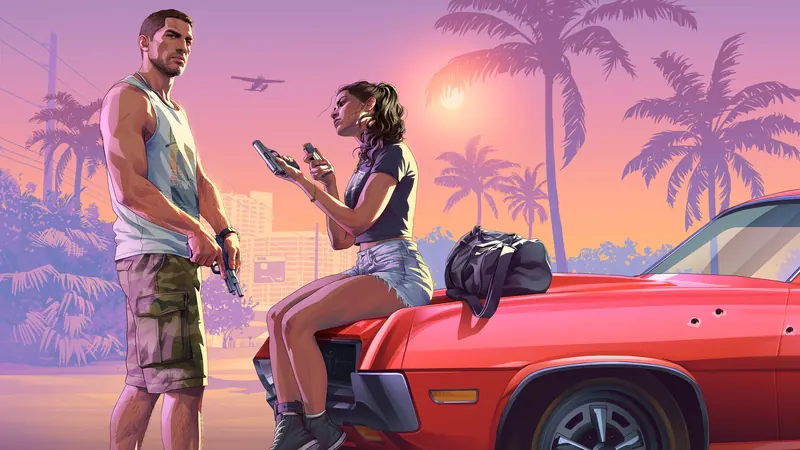
Take-Two frames a single-player experience at launch. GTA 6 Online date: not confirmed yet (online). Plan night one around Jason and Lucia’s story, not an unannounced Online drop.
Tip 7: Subscription honesty
A GTA-VI-specific PlayStation Plus or Game Pass Core requirement to boot single-player is not confirmed yet. Platform multiplayer subscriptions still apply to many online multiplayer features in general. GTA+ with digital pre-orders is a GTA V-era / library perk, not early GTA VI access.
Tip 8: Unlock expectations
PS5: midnight local November 19 (PlayStation Support). Xbox unlock clock: not confirmed yet (Xbox pre-load GMT is separate). Finished pre-load ≠ early play. More: release and unlock news.
Tip 9: Meet the cast via the wiki, not spoilers
Official protagonists Jason Duval and Lucia Caminos, plus other Only in Leonida names, are overviewed in everything we know. Use wiki pages for art: do not invent relationships.
Tip 10: Learn Leonida’s places officially
Vice City and regions such as Leonida Keys, Grassrivers, Port Gellhorn, Ambrosia, and Mount Kalaga are named by Rockstar. Map overview: map. Activities: things to do.
Tip 11: Languages
PlayStation Support: English voice; text includes German. Set console language before launch night (facts).
Tip 12: Day-one patch humility
Keep updates on. Exact day-one patch size: not confirmed yet. Leave a little space above 212 GB if you can.
Tip 13: Prefer official support when downloads fail
Rockstar Newswire points to Rockstar Support for pre-load how-tos; PlayStation Support hosts the GTA VI prep article. Prefer those over random social posts.
Tip 14: Physical vs digital
Both download the large file. Physical is code-in-box from November 12 (Rockstar). Redeem early enough to finish the install before unlock.
Will be expanded on November 19
After launch we will add verified beginner tips (controls habits, early goals, what to buy first) only from Rockstar or the shipped game. Until then, ignore leak “tip” lists. Skeleton topics such as controls/settings will fill from draft pages once facts exist.
Quick official table
| Topic | Status |
|---|---|
| Pre-load PS5 | Nov 10 local midnight |
| Pre-load Xbox | Nov 10 12 a.m. GMT |
| Storage | Up to / at least 212 GB |
| Unlock PS5 | Nov 19 local midnight |
| Unlock Xbox | Not confirmed yet |
| Online date | Not confirmed yet |
| Plus/Core for SP boot | Not confirmed yet |
Leonida Playbook is unofficial and not affiliated with Rockstar Games or Take-Two.
Extra: order history and code redemption
PlayStation Support describes checking the pre-order under Order History and redeeming physical codes under Redeem Code. Confirm you are on the owning account before unlock night. Console Sharing and Offline Play matters if other profiles on the same PS5 should play your copy: enable it per Support if needed.
Extra: what not to do
Do not change store regions to “play earlier” based on rumor guides: that is an account risk and not something this site instructs. Official unlock wording is local midnight on November 19 for PS5 (PlayStation Support). Do not treat finished pre-load as permission to play early. Do not buy on November 20 expecting the Vintage Pack if store pages already cut off at November 19 23:59:59 local.